Built by a contractor, for contractors
Run your sub-contracting company from one place
Estimates, purchase orders, change orders, field reports, and job costs — connected, so the money stops leaking between the spreadsheet and the site. Built by a contractor who couldn’t find software that fit a specialty sub.
14-day trial · No credit card · The demo is a real seeded job you can click through
Sound familiar?
Change orders that never get billed
You did the work. The approval lives in a text thread, the pricing in an email, the photos on a phone. By the invoice, $8,000 has quietly fallen off the job.
Estimates that don’t match job costs
You priced install at $6.50 a foot. What did it actually cost on the last three jobs? If the answer takes a week of digging through spreadsheets, the next bid is a guess.
Six versions of the same spreadsheet
The estimate workbook gets emailed, copied, and edited in parallel until nobody knows which one is real. Every module here reads from the same numbers — there is only one version.
The office finds out a week later
Site conditions changed Monday. The office hears about it Friday, after the material was ordered wrong. Daily reports, photos, and material requests land in the office the moment the field hits save.
Procore is built for GCs and priced like it. Buildertrend is built for home builders. Specialty subcontractors get the leftovers — so I built this instead.
One system, four jobs it does well
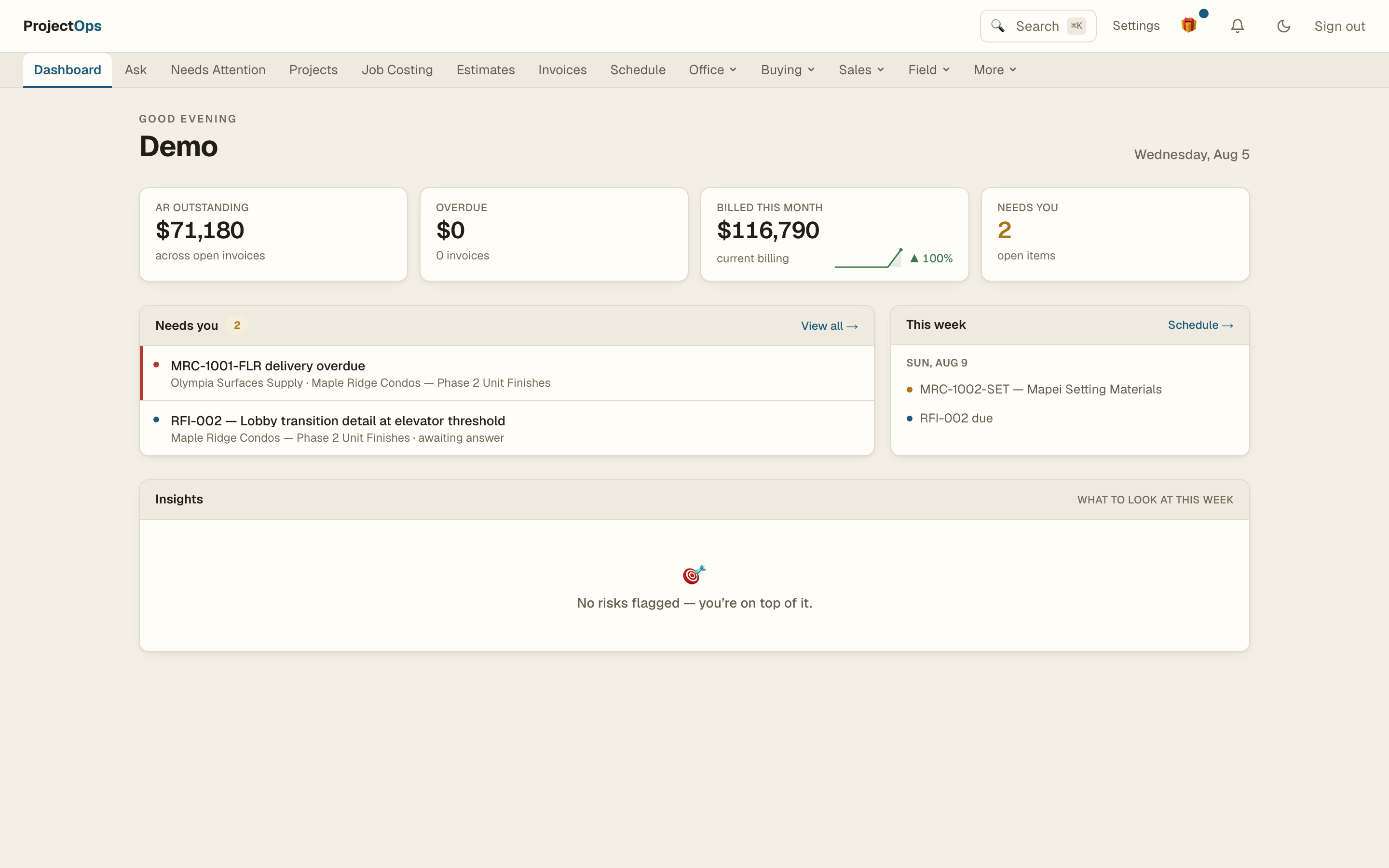
Everything below reads and writes the same numbers — the estimate feeds the budget, the POs feed job costs, the field feeds the evidence.
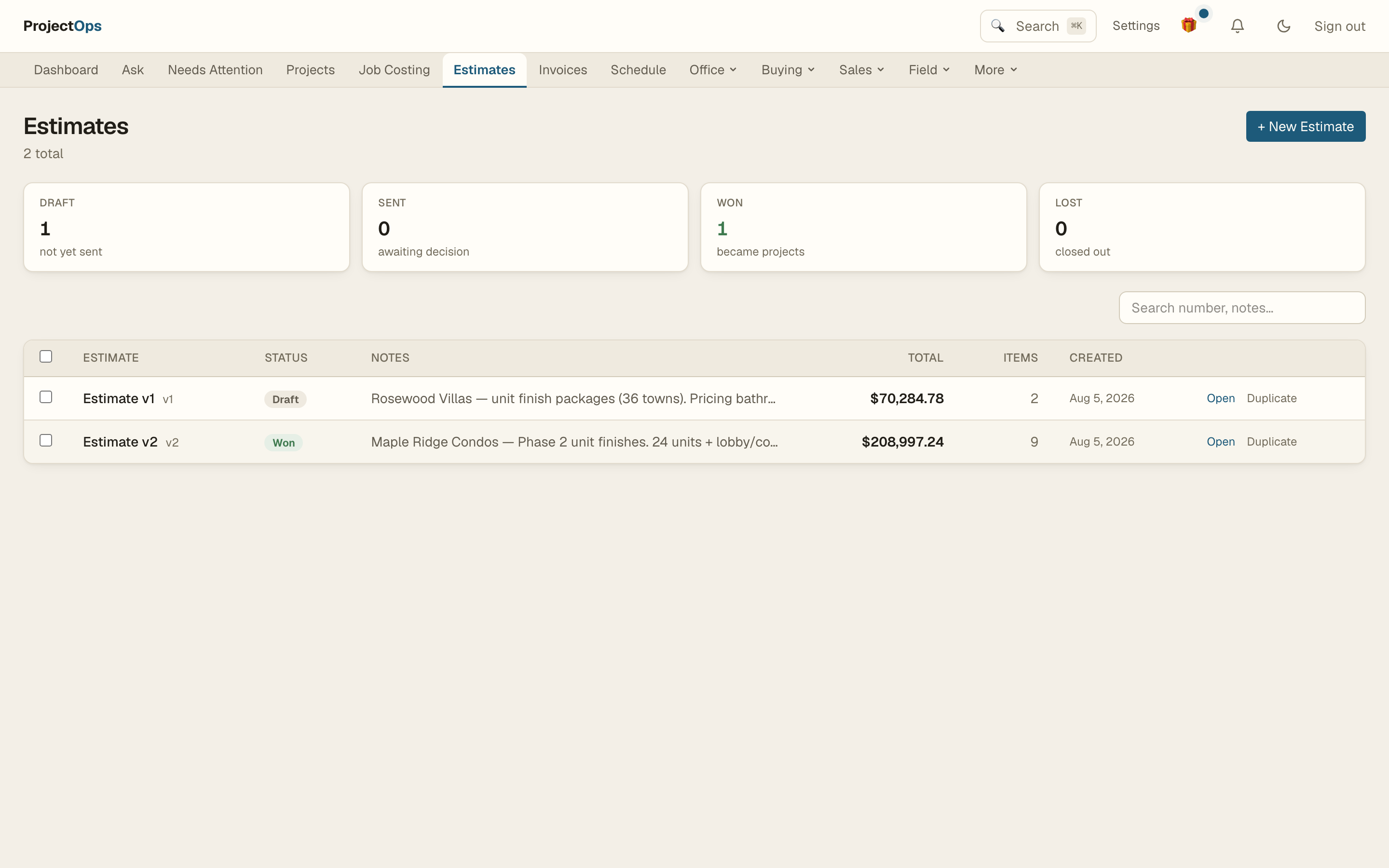
For the estimator
Bid from a price book, not from memory
A catalog of your real materials and labor rates, assemblies for the work you do every week, room-by-room takeoffs, and estimates that turn into budgets when you win. Rate Check compares what the catalog says against what you actually paid on recent POs — and recalibrates in one click.
- Catalog with rate history
- Assemblies & room takeoffs
- Rate Check against real PO prices
- Estimate → budget on win
For the PM
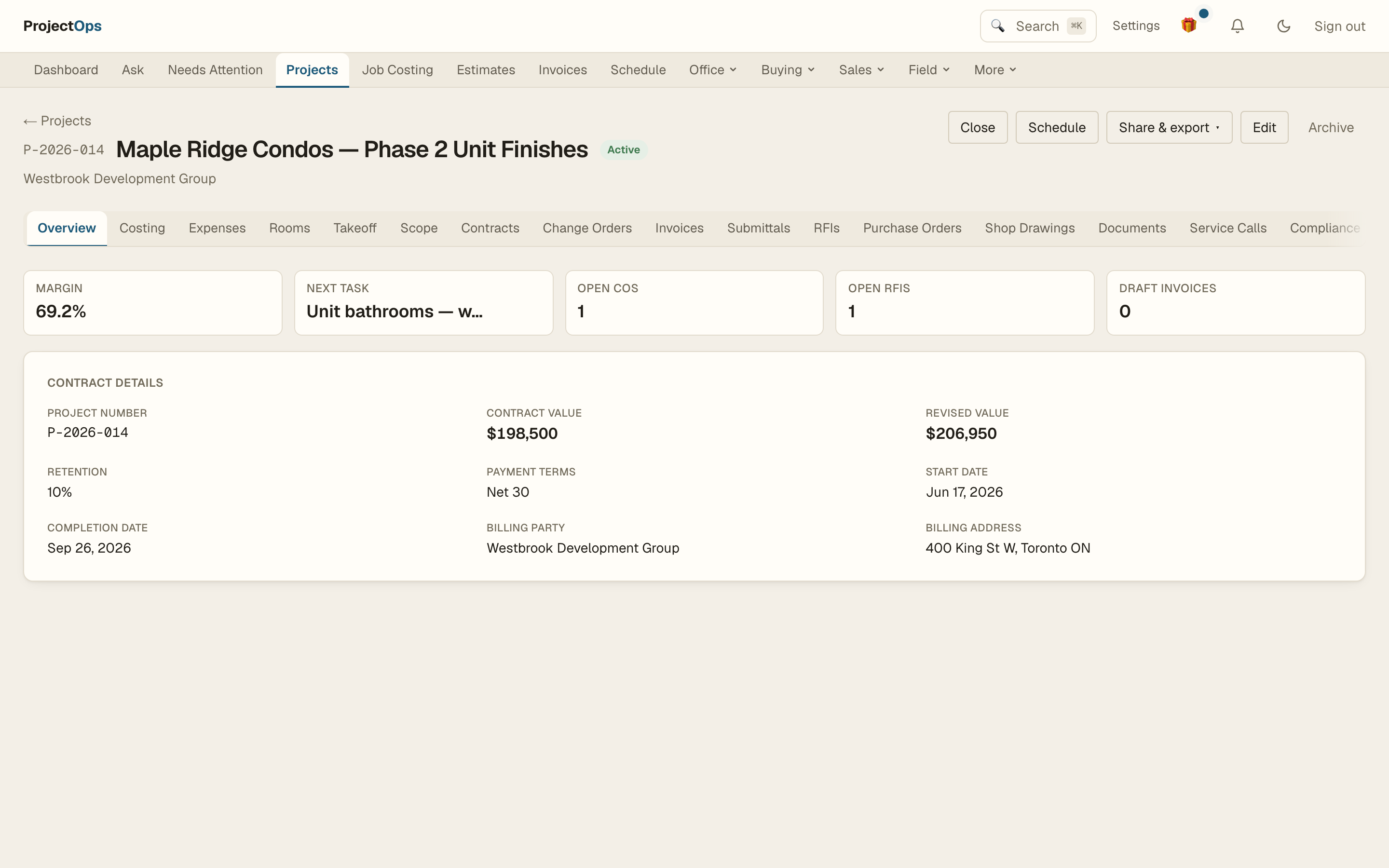
The paper trail builds itself
Purchase orders with revisions and delivery tracking, submittals, RFIs that flag cost and schedule impact, and change orders linked back to the RFI that justified them. When the GC asks for backup, you export an evidence pack — daily reports, T&M tickets, RFIs, and photos for any date range, one PDF.
- POs with revisions & deliveries
- Submittals, RFIs, change orders
- Look-ahead schedule with crew conflicts
- One-click evidence packs
For the field
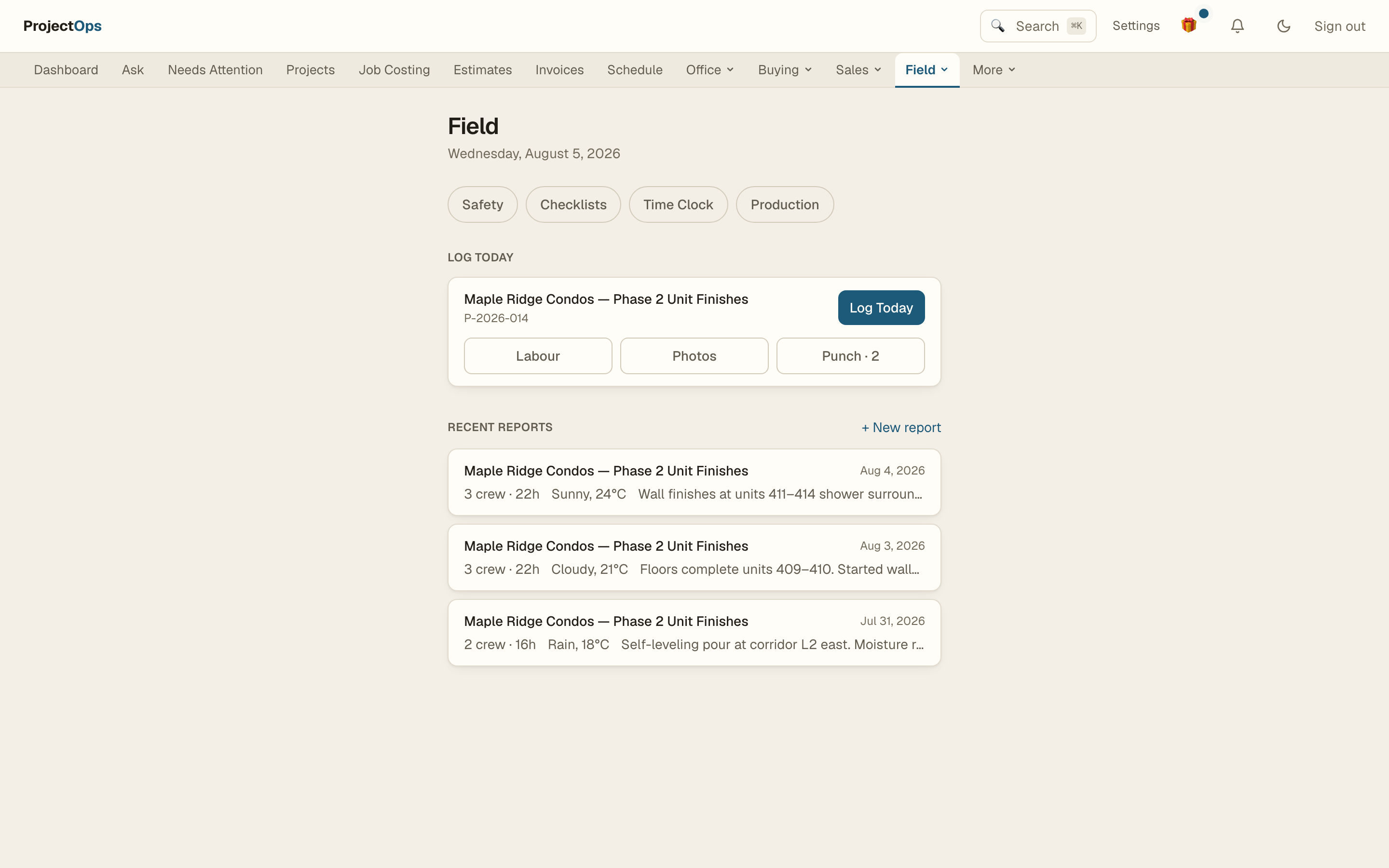
Daily reports your crew will actually file
Daily reports, T&M tickets, progress photos, punch lists, and material requests — from a phone, in the time it takes to drink a coffee. Supervisors request material, purchasing fills it from stock or cuts a PO. The office sees it the moment it happens.
- Daily reports & T&M from the phone
- Photos tied to project and room
- Punch lists & prep checklists
- Material requests → stock or PO
For the owner
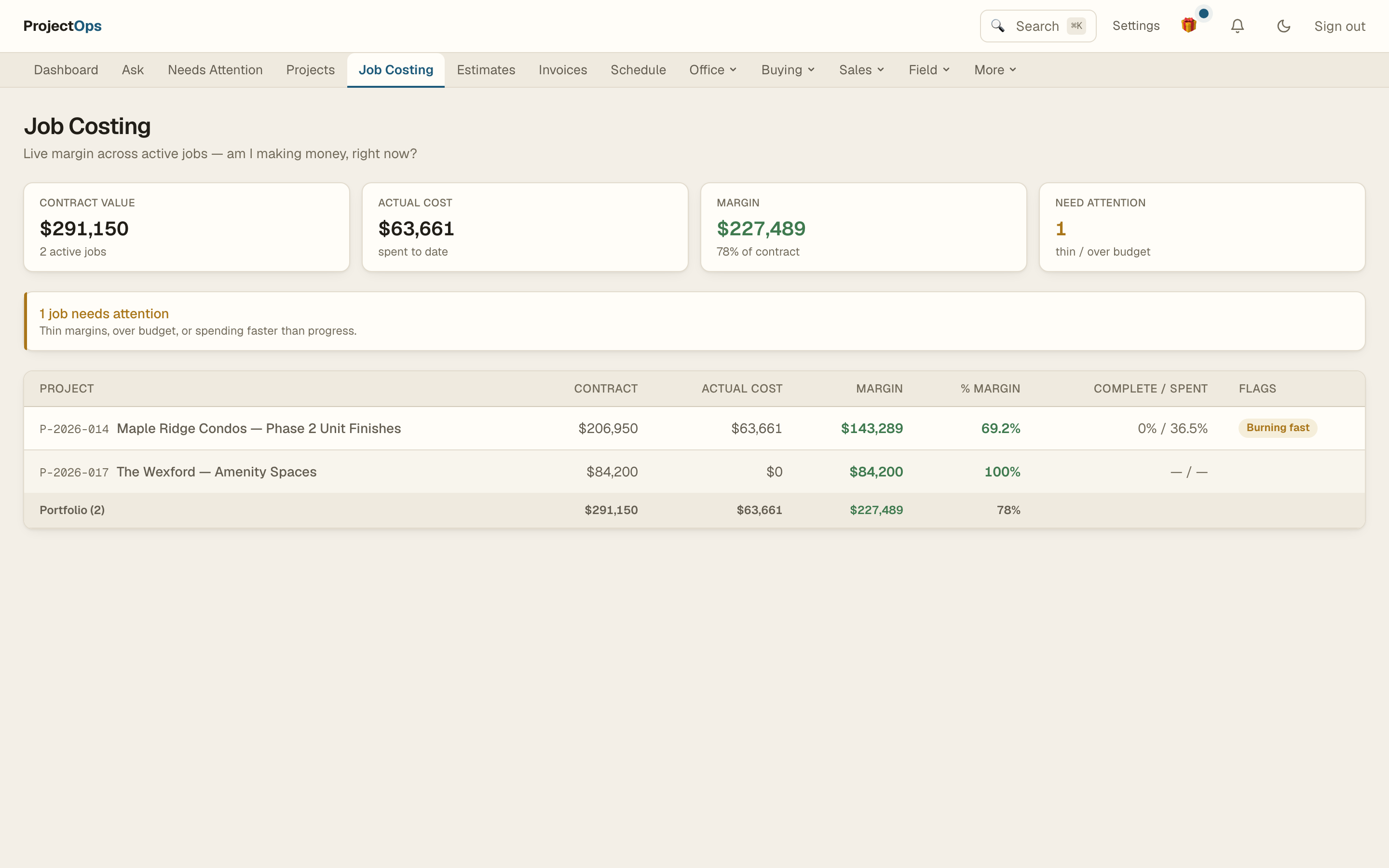
Know your margin before the job ends
Job costing that compares the estimate against actual POs, receipts, and labor while the job is running — not three months after closeout. Progress billing with retention, AR aging, cash flow, and payment tracking. The numbers come from the work itself, so they are always current.
- Estimate vs. actual, live
- Progress billing with retention
- Cash flow & AR aging
- Portfolio view across jobs
And the rest of the toolbox
Client portal
Share read-only progress and collect e-sign approvals
Receipt capture
Snap a receipt, OCR runs on our servers — no cloud AI, ever
Inventory & stock
On-hand quantities, movement ledger, low-stock alerts
Scheduling
Gantt, look-ahead view, crew double-booking warnings
Safety & checklists
Toolbox talks and prep checklists, tracked per project
Audit trail
Every change recorded — who, what, when, on every module
Your data, exportable
Full export to JSON/CSV plus every file, any time
Self-hosted option
Enterprise plans can run it entirely on their own server
Pricing a sub can say yes to
Procore starts around US$375/month with an annual contract and a sales call. This starts at $49 and a Start button.
Starter
For a small crew getting started.
$49/month
- Up to 5 users
- Up to 25 active projects
- Every module — nothing is paywalled
- Mobile app included
- Email support
Pro
For a company that runs on it.
$99/month
- Unlimited users
- Unlimited projects
- Every module — nothing is paywalled
- Mobile app included
- Priority support
Enterprise / Self-hosted
Your server, your rules.
Let’s talk
- Run it on your own infrastructure
- Your data never leaves your building
- Invite-only sign-in, no public signup
- Direct line to the founder
Every plan starts with a 14-day free trial. No credit card. When a trial ends your data goes read-only — it is never deleted, and you can export all of it.
Questions contractors actually ask
Do I need a credit card to start?
No. The trial is 14 days, full product, no card. Pick a plan only when you want to keep going.
What happens when my trial ends?
Your account goes read-only — nothing is deleted. You can still sign in, look at everything, and export all of it. Add a plan and you pick up exactly where you left off.
Can I get my data out?
Yes, completely: a full export of every record as JSON or CSV plus every file you uploaded, from Settings, whenever you want. Your price book and job history are yours.
Is my data used to train AI?
No. There is no third-party AI in the product at all. Receipt OCR and search run on our own servers, and money and quantities are never computed by a model.
How is my data protected?
Each company’s data is isolated per tenant and covered by automated isolation tests, everything is encrypted in transit, every change is audit-logged, and databases are backed up nightly.
Which trades does it fit?
Any sub-contracting trade that runs the estimate → PO → change order → invoice loop: flooring, stone, drywall, painting, and most specialty subs. If you price work, buy material, and bill progress, it fits.
Is there a mobile app for the field?
Yes — daily reports, T&M tickets, photos, punch lists, material requests, and expenses from the phone, synced two ways with the office.
Talk to the person who built it
No sales team, no discovery call, no “book a demo with an SDR.” I’m a contractor and built ProjectOps because nothing on the market fit. Tell me about your operation — if this isn’t the right tool for you, I’ll say so.